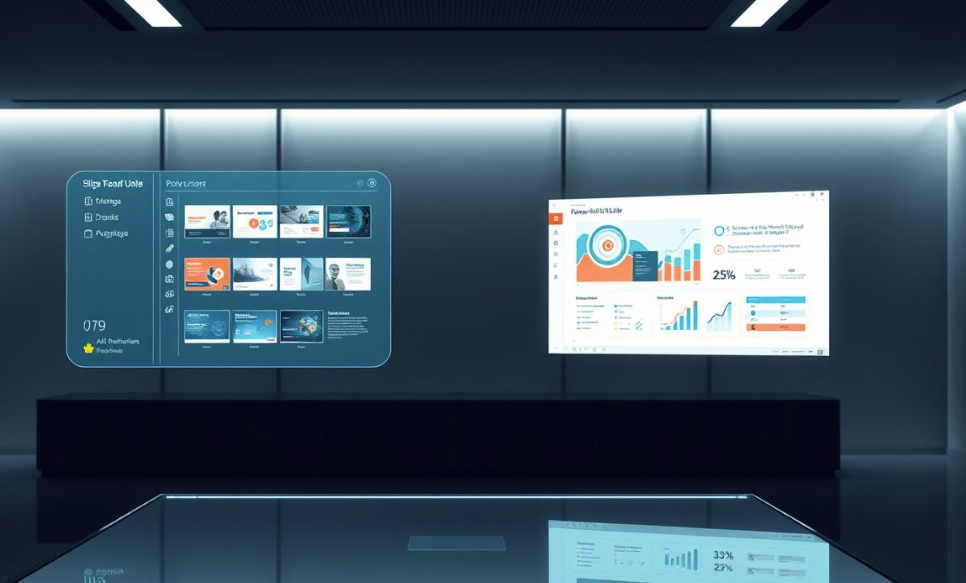
Creating a professional presentation from scratch can be a challenging and time-consuming task. It requires research, content planning, slide design, formatting, and visual selection. Whether you are a student preparing an assignment, a business professional presenting a proposal, or a teacher creating educational material, building effective slides requires both creativity and technical skills.
An AI PowerPoint generator simplifies this entire process by turning basic ideas, written content, or documents into structured and visually appealing presentations. Instead of starting with a blank slide, users can provide a topic or prompt and allow artificial intelligence to assist with content creation, design, and organization.
What Is an AI PowerPoint Generator?
An AI PowerPoint generator is an artificial intelligence-powered tool that helps users create presentations automatically. It analyzes the information provided and converts it into organized slides with relevant headings, summaries, layouts, and visual elements.
These tools can help with:
- Creating slide outlines
- Writing presentation content
- Suggesting designs
- Adding visuals
- Organizing information
- Improving slide consistency
The purpose of an AI PowerPoint generator is not to replace human creativity but to make the presentation creation process faster and easier.
Why Creating Presentations Manually Takes Time
Traditional presentation creation involves multiple steps. Users usually need to research information, decide what content belongs on each slide, write concise text, select images, and adjust the design manually.
Common challenges include:
- Spending too much time formatting slides
- Maintaining consistent designs
- Reducing large amounts of information into simple points
- Finding suitable visuals
- Creating a logical presentation flow
These challenges can slow down productivity, especially when presentations are needed within short deadlines.
See also: Wall Mounted Lights for Stylish Modern Home Decor
How an AI PowerPoint Generator Works
An AI PowerPoint generator follows a simple process to transform ideas into slides.
1. User Provides an Idea or Topic
The process begins when a user enters a topic, question, document, or short description. For example, a user can provide a business idea, research topic, lesson plan, or project summary.
2. AI Analyzes the Information
The AI system identifies important concepts, key points, and relationships between different ideas. It understands the purpose of the presentation and prepares relevant content.
3. AI Creates a Slide Structure
The tool organizes information into sections such as:
- Introduction
- Main discussion points
- Examples
- Data or supporting information
- Conclusion
This creates a clear flow that helps audiences understand the topic.
4. AI Designs the Presentation
After organizing the content, AI applies layouts, formatting, images, icons, and design elements to create visually balanced slides.
5. User Reviews and Customizes
Users can edit the generated presentation by changing text, adding personal examples, modifying designs, or adjusting information according to their needs.
Benefits of Using an AI PowerPoint Generator
1. Faster Presentation Creation
One of the biggest benefits of AI presentation tools is speed. Creating slides manually can take hours, but AI can generate a strong starting point within a much shorter time.
This is especially helpful for:
- Business meetings
- Classroom presentations
- Marketing campaigns
- Training sessions
- Research projects
By reducing repetitive tasks, AI allows users to focus on improving their ideas.
2. Better Organization of Ideas
A good presentation requires a logical structure. AI helps arrange information in a way that makes sense to the audience.
It can identify important points, remove unnecessary details, and create a smooth transition between slides.
3. Professional Slide Designs
Designing attractive slides can be difficult for people without graphic design experience. AI presentation generators provide professional layouts, balanced spacing, readable fonts, and consistent visual styles.
This helps users create polished presentations without advanced design knowledge.
4. Improved Productivity
AI reduces the amount of time spent on manual tasks such as formatting, alignment, and content arrangement.
Professionals can prepare presentations faster, while students and educators can spend more time focusing on research and learning.
5. Easy Customization
AI-generated presentations are not fixed. Users can customize every part of the presentation, including:
- Text
- Images
- Colors
- Fonts
- Layouts
- Branding elements
This ensures that the final presentation matches the user’s goals and style.
6. Supports Different Presentation Needs
AI PowerPoint generators can be used for many purposes, including:
Business Presentations
Companies can create:
- Sales presentations
- Investor pitch decks
- Reports
- Project updates
Educational Presentations
Teachers and students can prepare:
- Lectures
- Assignments
- Training materials
- Research presentations
Marketing Presentations
Marketing teams can create:
- Product launches
- Campaign reports
- Strategy presentations
Best Practices for Creating Better AI-Generated Presentations
Although AI makes presentation creation easier, users should follow some best practices for better results.
Provide Clear Instructions
The quality of an AI-generated presentation depends on the information provided. Include details such as:
- Topic
- Audience
- Purpose
- Presentation style
- Required number of slides
Clear instructions help AI create more relevant results.
Review and Edit Content
AI-generated content should always be reviewed before presenting. Check for:
- Accuracy
- Missing information
- Unclear explanations
- Incorrect details
Human review ensures the presentation communicates the right message.
Add Personal Insights
A presentation becomes more engaging when it includes personal experiences, examples, and unique perspectives. AI provides a foundation, but human creativity makes the presentation memorable.
Avoid Overloading Slides
Even with AI assistance, slides should remain simple and easy to understand. Too much text can reduce audience engagement.
Use short points, visuals, and clear explanations.
Common Misconceptions About AI Presentation Tools
AI Makes Human Designers Unnecessary
AI does not eliminate the need for human creativity. It helps users complete repetitive tasks faster while allowing them to focus on storytelling and communication.
AI-Generated Slides Are Always Perfect
AI can create useful presentations, but users still need to review and customize them. The best results come from combining AI assistance with human judgment.
Only Professionals Can Use AI Presentation Tools
AI presentation generators are designed for users of all experience levels. Students, beginners, teachers, and professionals can benefit from these tools.
The Future of AI PowerPoint Generators
Artificial intelligence in presentation creation continues to improve. Future tools may offer advanced features such as:
- More personalized slide designs
- Automated data visualization
- Voice-based presentation editing
- Interactive presentations
- Real-time audience feedback
- Smarter content recommendations
As AI technology develops, creating professional presentations will become even more accessible.
Frequently Asked Questions (FAQs)
What is an AI PowerPoint generator?
An AI PowerPoint generator is a tool that uses artificial intelligence to create presentation slides automatically from a topic, prompt, document, or idea. It helps users generate content, organize information, and design slides more efficiently.
Can AI create a complete PowerPoint presentation?
Yes, many AI presentation tools can create complete presentation drafts with slide titles, content, layouts, and design suggestions. Users should review and customize the final version before presenting.
How does an AI PowerPoint generator save time?
AI saves time by automating tasks such as content organization, slide formatting, layout selection, and visual suggestions. This allows users to create presentations faster compared to manual methods.
Who can use an AI PowerPoint generator?
Students, teachers, business professionals, marketers, entrepreneurs, and researchers can use AI PowerPoint generators for different types of presentations.
Are AI-generated presentations professional?
AI-generated presentations can be professional because they often include structured layouts and consistent designs. However, quality depends on the user’s instructions, editing, and customization.
Can AI replace PowerPoint designers?
No. AI assists designers and presenters by speeding up the creation process. Human creativity, storytelling, and decision-making remain important for effective presentations.
Can AI create presentations from documents?
Yes, many AI presentation tools can convert existing documents, reports, and notes into organized presentation slides.
What makes an AI-generated presentation effective?
An effective AI-generated presentation combines accurate information, clear structure, attractive design, and human editing to ensure it connects with the audience.
Conclusion
An AI PowerPoint generator has changed the way people create presentations by making the process faster, simpler, and more efficient. From organizing ideas and generating content to designing professional slides, AI helps users transform concepts into complete presentations without spending excessive time on manual work.
However, the best presentations are created when artificial intelligence works together with human creativity. AI provides speed and structure, while people add insights, storytelling, and personal connection. Whether for education, business, or marketing, AI-powered presentation tools are becoming an essential solution for modern content creation.