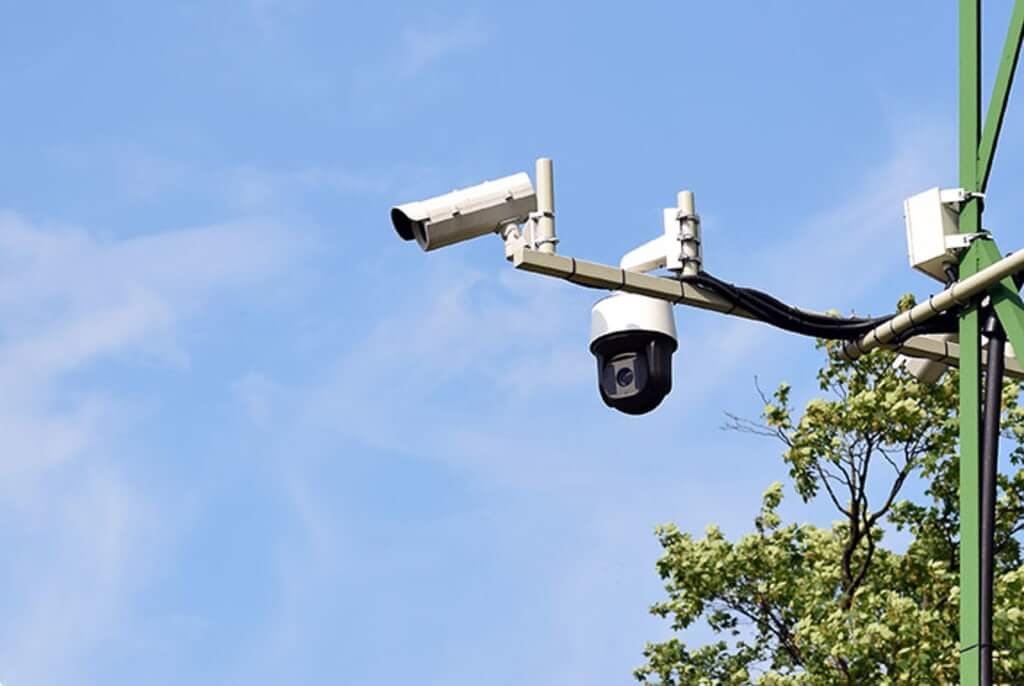
Pan-tilt-zoom cameras look impressive. With a joystick or a tap on a phone, you can swing the camera around, tilt it down and zoom in close enough to read a sign across a parking lot. That power makes them one of the most requested items in commercial surveillance projects, and also one of the most misused.
Here is how to decide whether a PTZ belongs in your system.
What a PTZ Camera Actually Does
A PTZ camera combines a motorized mount with an optical zoom lens. It can rotate horizontally (pan), move vertically (tilt) and magnify the image (zoom) without losing resolution the way digital zoom does. Zoom ratings such as 20x or 30x refer to optical magnification, allowing the camera to capture detail at distances a fixed camera cannot match.
See also: How Mumbai Businesses Can Grow With Digital Marketing
The Big Limitation: It Only Looks One Way at a Time
A PTZ can see almost anything, but only one thing at a time. If it is zoomed in on the north gate, it is not watching the south fence. This is the most common mistake in PTZ deployments: using a single PTZ as the only camera for a large area and assuming it will catch everything. When an incident happens, there is a good chance the camera was pointed somewhere else.
The best practice is to pair PTZ cameras with fixed cameras. Fixed cameras provide constant overview coverage and a reliable record. The PTZ provides detail on demand.
Where PTZ Cameras Excel
- Large parking lots and car dealerships, where an operator can zoom in on a vehicle or person of interest
- Construction sites, storage yards and industrial facilities with wide open areas
- Campuses, stadiums and public spaces with active monitoring staff
- Perimeters where auto-tracking can follow an intruder along a fence line
- Ports, loading yards and logistics hubs where operators need to read container numbers or plates
Auto-Tracking and Patrol Modes
Modern PTZ security cameras are far more useful unattended than older models. Auto-tracking uses on-board analytics to detect a person or vehicle and follow it automatically, keeping it centered and zoomed. Preset tours let the camera cycle through a series of saved positions on a schedule, and many models can jump to a preset when triggered by an alarm, such as a gate sensor or an alert from a nearby fixed camera.
These features close some of the “looking the wrong way” gap, but they do not eliminate it. Auto-tracking follows one target, and patrol tours still leave most of the scene unwatched at any moment.
Where a PTZ Is the Wrong Tool
- Small shops, offices and homes, where a few well-placed fixed cameras cover everything
- Doorways and hallways, where the distances are short and a fixed camera gives better constant coverage
- Sites with no one monitoring live video and no need for detailed zoom
- Tight budgets, since one PTZ often costs as much as several good fixed cameras
Installation Tips
PTZs need solid mounting because vibration is magnified at high zoom. Mount them high, typically on a pole or building corner, with a clear line of sight in as many directions as possible. Check power requirements carefully: many outdoor PTZs, especially models with heaters, wipers or powerful infrared, draw more than standard PoE provides and need PoE+ (802.3at) or higher, or a dedicated power supply.
Finally, set a sensible “home” position. After an operator finishes using the camera, it should return to the view that matters most rather than staying pointed wherever it was left.
The Bottom Line
A PTZ is a precision tool, not a replacement for coverage. Use fixed cameras to make sure nothing goes unrecorded, and add a PTZ where large areas, long distances or live monitoring make that extra reach worthwhile.