
How QA teams and solo developers use disposable inboxes to test sign-up, verification, and password-reset flows without the overhead of real accounts.
Every sign-up form eventually needs to be tested against a real email address — not a hardcoded string, but something that can actually receive a confirmation link, render a welcome message, and confirm that a verification code shows up formatted the way it’s supposed to. Doing that with a personal or work inbox gets messy fast: dozens of test accounts pile up, cleanup becomes its own chore, and nobody wants their actual email address subscribed to a staging environment’s notification system by accident. This is exactly the gap a temporary email address fills for developers and QA teams.
Instead of treating disposable inboxes as a consumer privacy trick, it’s worth looking at them the way engineering teams actually use them — as a disposable, on-demand testing resource that can be spun up and thrown away as many times as a test suite needs.
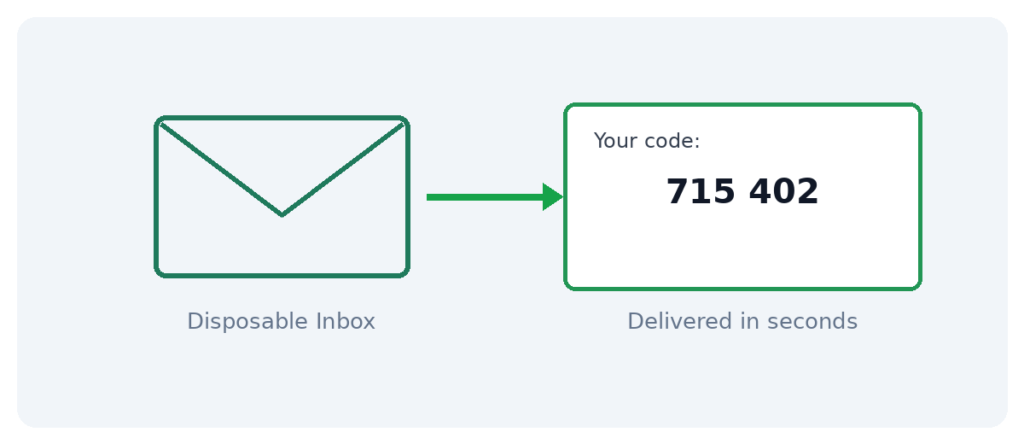
What a Disposable Inbox Looks Like From a Testing Perspective
A temporary email address is exactly what it sounds like: an inbox generated instantly, capable of receiving messages like any normal account, with no long-term ownership attached. From a QA standpoint, that’s close to ideal. Each test run can pull a brand-new address, use it exactly once, and let it expire — no manual account deletion step, no risk of test data lingering in a real account, and no chance of a staging email accidentally reaching a developer’s personal inbox because a wildcard address wasn’t configured correctly.
Providers such as Loska Mailbox’s temporary email service generate these inboxes on demand for a small per-address fee, with messages arriving in real time — which matters when a test suite is timing how quickly a verification email or OTP code actually lands after a sign-up request is submitted.
Where This Fits Into an Actual Testing Workflow
Verifying the sign-up confirmation flow
Most products send a confirmation link the moment an account is created. A disposable address confirms that link fires correctly, points to the right environment, and expires or activates as intended — without creating a permanent account tied to a real developer email.
Testing OTP and two-factor codes sent by email
Some platforms send one-time codes over email rather than SMS. A temp inbox lets a tester confirm the code format, delivery speed, and expiration window match what the specification calls for.
Checking password reset flows end to end
Reset flows are notoriously easy to break during refactors. Running the full reset sequence against a throwaway inbox catches broken links or expired tokens before they reach production.
Load-testing sign-up volume
Generating a batch of disposable addresses through an API lets a script simulate dozens or hundreds of sign-ups without needing a matching number of real accounts to clean up afterward.
Why an API Matters More Than the Web Interface Here
A single disposable inbox generated by hand through a browser is fine for a one-off manual test. It stops being practical the moment a test suite needs to run automatically, on a schedule, against dozens of sign-up variations. That’s where a developer API for generating and reading disposable inboxes becomes the actual point of the tool — a script can request a fresh address, submit it to the sign-up form under test, poll the inbox for the incoming message, and extract the confirmation link or OTP code automatically, all without a human clicking anything.
This turns what used to be a manual QA chore into something that runs unattended as part of a continuous integration pipeline — sign-up, verification, and password-reset flows can all be regression-tested on every deployment rather than only before a release.
Practical Advantages Over Using Real Test Accounts
- No cleanup step — inboxes expire on their own, so there’s nothing left to manually delete after a test run finishes.
- No risk of cross-contamination — a shared team inbox used for testing eventually accumulates confirmation links for accounts nobody remembers creating; disposable addresses avoid that entirely.
- Faster parallel testing — multiple test runs can each use their own fresh address simultaneously without waiting on a shared mailbox.
- Multiple domains available — useful for testing how a sign-up form behaves against different email domain patterns, including ones that might trip up validation logic.
- Realistic delivery timing — because messages route through real mail infrastructure rather than a mock server, latency numbers reflect what actual users will experience.
A Few Things Worth Knowing Before Building This Into a Pipeline
Disposable inboxes are, by nature, temporary and often publicly viewable if someone knows or guesses the exact address. That’s a non-issue for test data that’s thrown away immediately, but it does mean these inboxes should never be used to test flows involving genuinely sensitive information, since nothing sent to them should be treated as private long-term.
See Also: UV DTF Transfers for Luxury Branding and Custom Packaging
It’s also worth checking how long generated inboxes stay active before expiring, since a CI pipeline that’s slow to poll for a message could miss the window if the inbox closes too quickly. Matching the expiration window to the expected delivery latency of the system under test avoids flaky, intermittent test failures that have nothing to do with the actual code being tested.
A test that occasionally fails because the disposable inbox expired before the email arrived isn’t a bug in the product — it’s a mismatch between the inbox’s lifespan and the test’s polling interval. Widening that window usually resolves it immediately.
Temporary Email vs. Mocking the Mail Server
| Approach | Realism | Setup Effort | Best For | |
| Temporary email address | Full real-world delivery path | Minimal — request via API | End-to-end and integration testing | |
| Mocked mail server | Simulated, not real delivery | Requires configuration and maintenance | Unit tests in isolation | |
| Dedicated test email accounts | Real, but manually managed | High — accounts must be created and cleaned up | Long-running manual QA cycles |
Most mature testing strategies use a mix of all three — mocks for fast unit tests that don’t need real delivery, and disposable inboxes for the end-to-end tests where actual delivery timing and formatting genuinely matter.
Getting Started
- Create an account on the provider’s dashboard — no personal phone number required.
- Add balance through a crypto top-up for instant confirmation.
- Call the API to generate a fresh inbox for each test run, or generate one manually through the dashboard for a quick one-off check.
- Submit the address to the sign-up form or flow under test.
- Poll or read the inbox for the incoming confirmation link, OTP code, or reset token, and continue the test from there.
Frequently Asked Questions
Can a temporary email be generated programmatically for automated tests?
Yes — a developer API is exactly what makes this practical for CI pipelines, letting a script request and read inboxes without any manual steps.
Is delivery fast enough for automated polling?
Messages typically land within seconds of being sent, which is fast enough for most automated test suites to poll without excessive wait times.
Should disposable inboxes replace dedicated staging accounts entirely?
Not necessarily — they’re best suited to sign-up, verification, and reset-flow testing specifically. Long-running staging accounts still have their place for broader feature testing.
What happens if a test needs to reuse the same inbox later?
Once an inbox expires, it can’t be reopened. For flows that need to be revisited, note the address and use it again before it expires, or generate a fresh one for the next run.
Are there multiple domains available for testing edge cases?
Yes, most providers offer several domains, which is useful for testing how sign-up validation handles different domain patterns.
Integrating Disposable Inboxes Into a CI Pipeline
Most teams that adopt this approach start small — a single manual test replaced by an API call — before expanding it across the full suite. A typical integration looks like this: a test step requests a fresh inbox at the start of a sign-up test case, submits that address through the application under test, then polls the inbox on a short interval until the expected message appears or a timeout is reached. The confirmation link or OTP code is extracted directly from the message body using a simple pattern match, and the test continues from there exactly as if a human had opened the email themselves.
Because each test case generates its own address, tests can run in parallel without any risk of one test’s confirmation email being mistaken for another’s — a problem that regularly occurs when a shared inbox is used for multiple simultaneous test runs. This alone tends to cut flaky test failures significantly in suites that previously relied on a single shared mailbox.
Teams that have gone through this migration often describe the before-and-after in similar terms: before, a shared “qa@” inbox accumulated hundreds of stale confirmation links that nobody was sure were safe to ignore; after, each test run is self-contained, leaves nothing behind, and produces a clean pass/fail result without any manual inbox triage required between runs.
A Note on Rate Limits and Cost at Scale
Generating a large number of inboxes for load testing or extensive regression suites is usually inexpensive per address, but it’s worth checking a provider’s rate limits before scripting a test that spins up hundreds of inboxes in a tight loop. Spacing out requests slightly, or batching them where the API supports it, avoids hitting throttling limits mid-test-run and keeps results consistent from one pipeline execution to the next.
Debugging Email Templates, Not Just Testing Delivery
Delivery is only half of what a disposable inbox is useful for during development — rendering is the other half. HTML email templates notoriously behave differently across mail clients, and a confirmation message that looks perfect in a design tool can arrive broken, misaligned, or missing images entirely once it’s actually delivered. Sending real test emails to a temporary inbox and inspecting the raw HTML alongside the rendered view catches these issues before a template ships to actual users, without needing a real account subscribed to a marketing platform just to preview one message.
This is particularly useful for transactional email — password resets, order confirmations, OTP codes — where a broken layout or a missing verification code isn’t just a cosmetic issue, it’s a functional failure that locks a real user out of something they’re trying to do. Catching that during a test run against a disposable inbox is considerably cheaper than catching it after a production incident report comes in.
Final Word
Testing a sign-up or verification flow properly means testing it the way a real user would experience it — an actual email landing in an actual inbox, not a simulated stand-in. Temporary email addresses make that level of realism practical at scale, without the operational overhead of managing a growing pile of real test accounts. For any team shipping features gated behind email verification, it’s one of the simpler upgrades to a testing pipeline that already exists — one that pays for itself the first time it catches a broken confirmation link before a real user does.